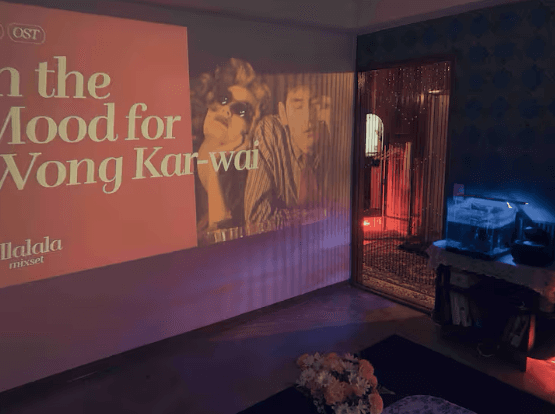
03 · SCREENING ROOM · MANUAL
Seodong Cinema ManualSeodong Movie
Please review the following for a comfortable use.
Door Code · Entry
📌 Door Code Notice
The passcode will be sent via Instagram DM 30 minutes before your reservation starts.
If you didn't receive it, please reach out via Instagram DM or +82-10-3548-4572.
How to Enter
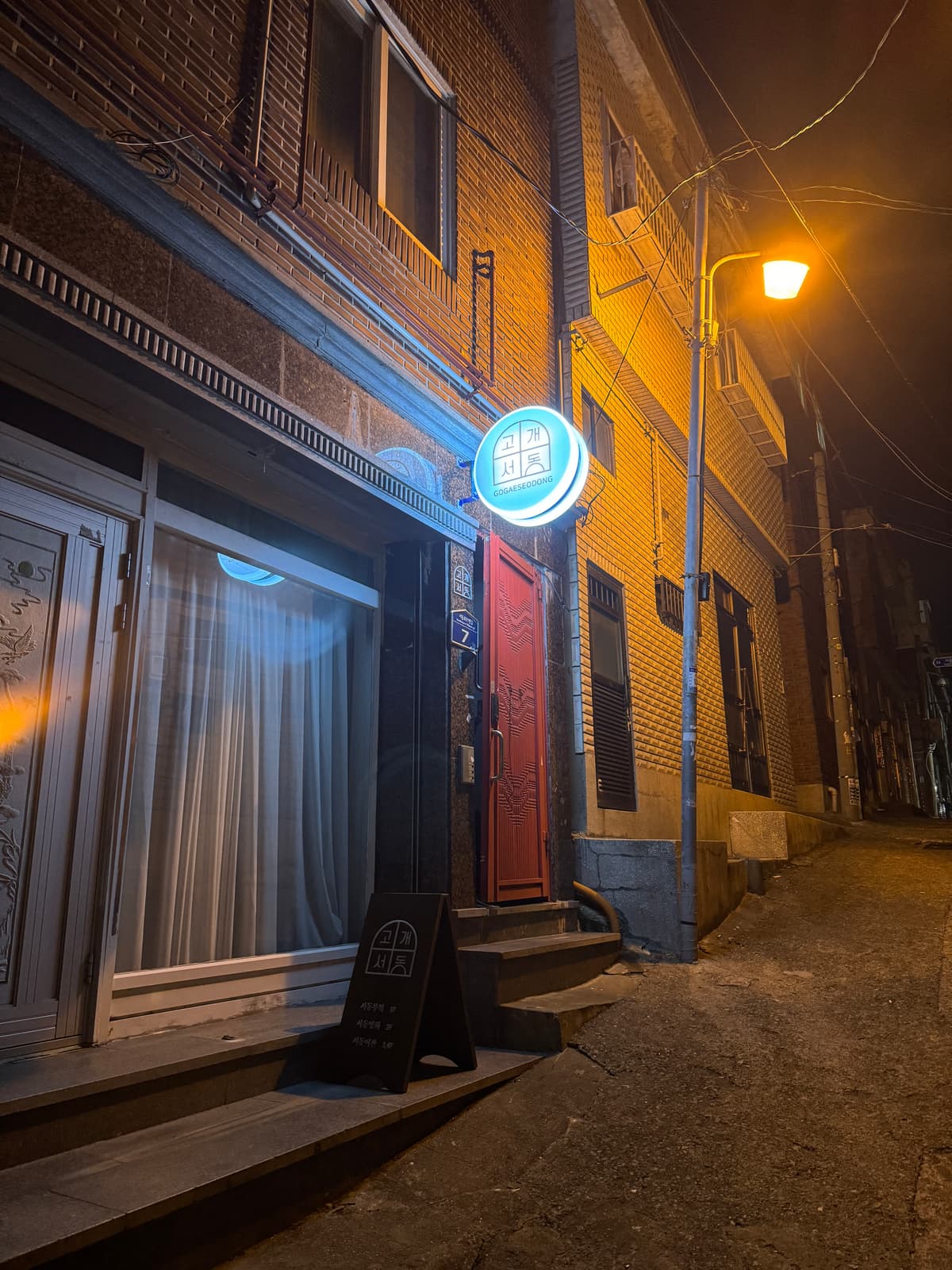
7, Seodong-ro 91beon-gil, Geumjeong-gu, Busan — 2nd Floor
On the ground floor, look for a house with a white curtain. Enter through the red gate of that building.
Walk up to the 2nd floor — the gray door is Seodong Cinema.
Lift the door lock cover, enter the passcode, and close it to unlock.
Wi-Fi
ID
seodongwifi1Strong Signal ★★
PW
seodong12!@
ID
seodongwifi3Strong Signal ★
PW
seodong12!@
ID
seodongwifi4
PW
seodong12!@
Directions
Address
7, Seodong-ro 91beon-gil, Geumjeong-gu, Busan — 2nd Floor
Parking
Park at Seodong Public Parking Lot No. 2, then walk approximately 150m.
Taxi
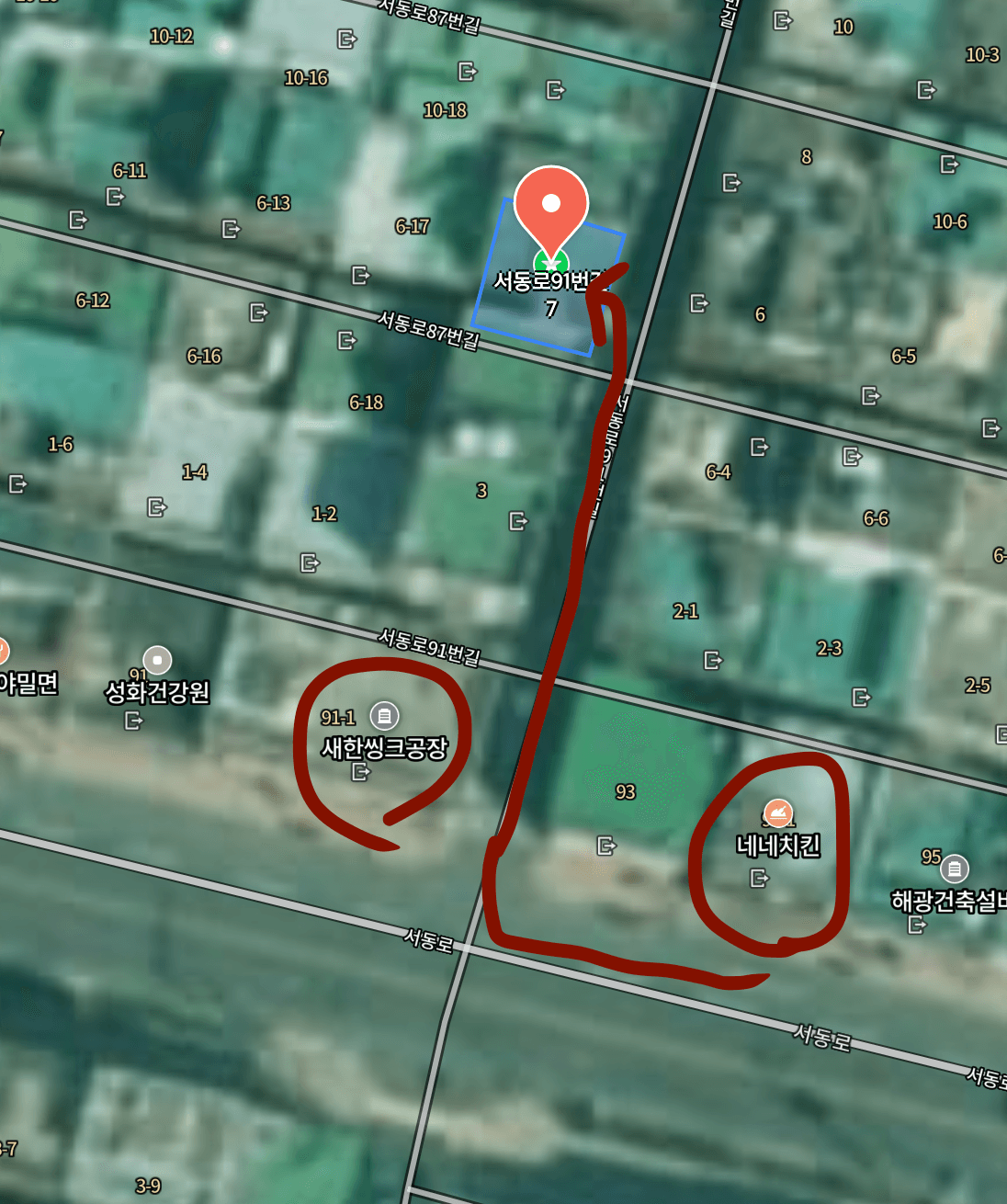
On Kakao Taxi, set the destination to ‘Nene Chicken Seodong Branch’. After getting off, walk up about 30m along the alley next to Saehan Sink and you'll see Gogae Seodong.
It is NOT directly in front of Nene Chicken!
Lights · Circuit Breaker
On Arrival
Flip the circuit breaker switch up on the left wall by the entrance.
Once raised, the entire power supply will turn on.
On Check-out
After turning off all electronics (air conditioner, beam projector, etc.) and lights,
flip the circuit breaker down.
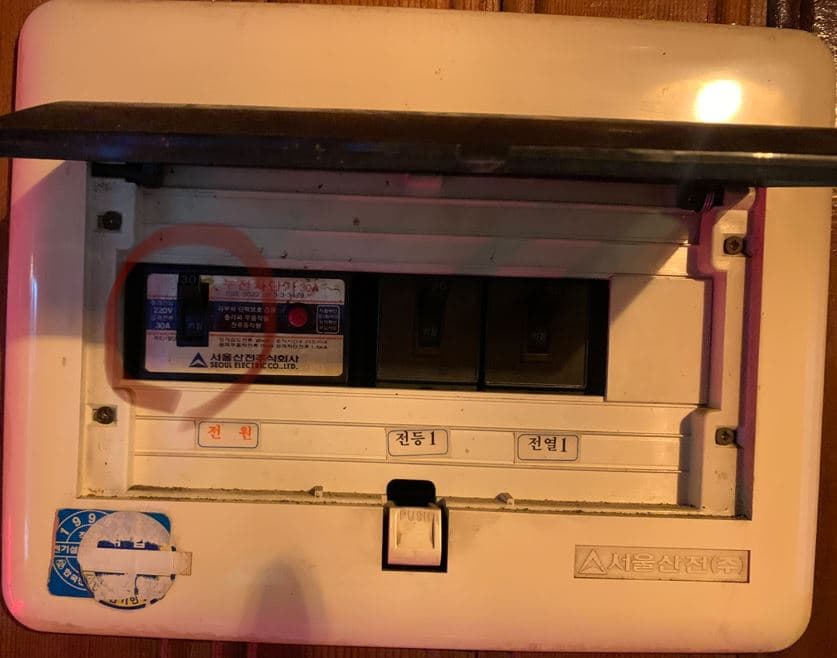
Circuit breaker on left wall by entrance
Air Conditioner / Heater
The indoor air conditioner (Carrier) is operated with the white remote.
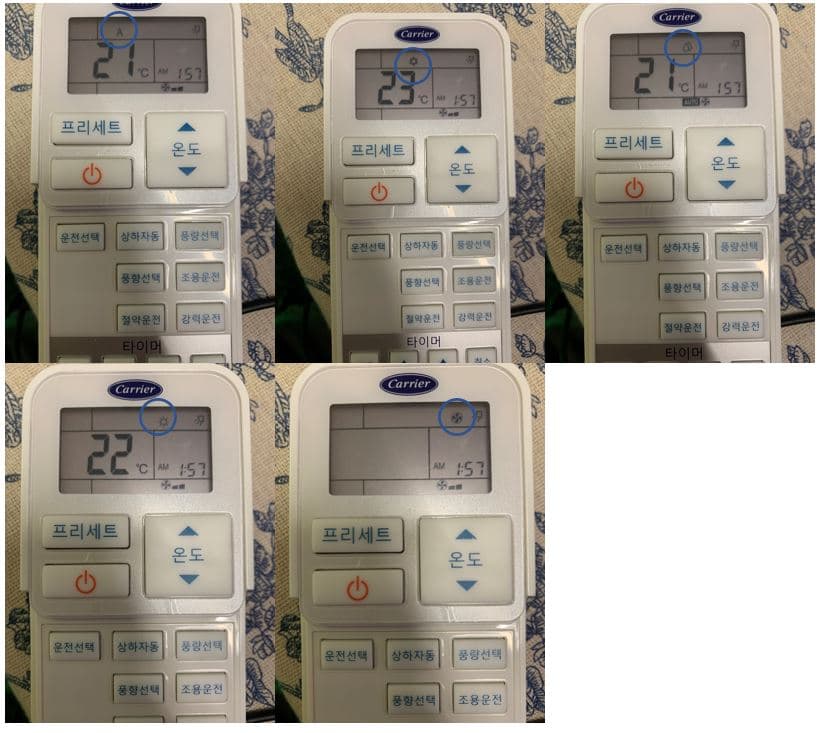
Operation Modes
A — Auto
❄️ Snowflake — Cooling
💧 Water Drop — Dehumidify
☀️ Sun — Heater
💨 Fan icon — Air Circulation
① Power ON → ② Select Mode → ③ Adjust temperature, airflow, and fan speed
⚡ This is an inverter unit — it takes about 3–5 minutes after turning on to start heating or cooling.
Boiler
Press the power button on the lower right of the boiler to turn it on.
Heating / Hot Water — Floor heating and hot water both run together.
Hot Water Only — Only hot water comes out.
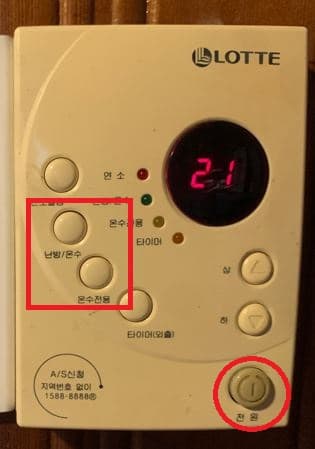
Please be sure to turn off the power after use!
Beam Projector · OTT
Connection Steps (when using a laptop)
💻 Laptop Password
11110000
① Turn on the laptop
② Use the black remote to turn on the beam projector (press the buttons firmly to make them register)
③ On the projector screen, switch to HDMI & VGA mode
④ When “connect success” appears, you're connected!
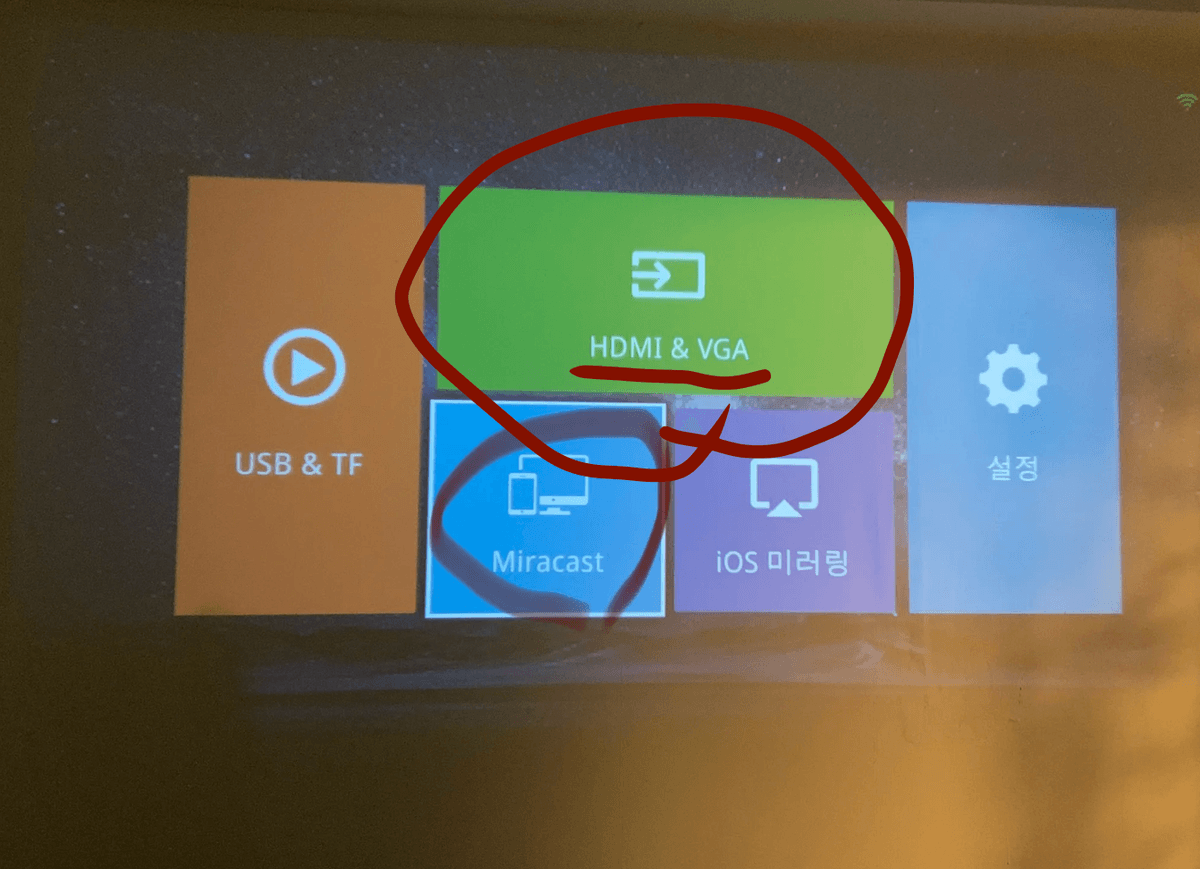
Other Connection Methods
💾 USB — Plug a USB drive into the projector to watch.
📱 Wireless from Smartphone — Android: Miracast / iPhone: iOS Mirroring
OTT Services
You can use Netflix, Watcha, Disney+, and other OTT services with your own personal account.
No Bedding or Toiletries Provided
Seodong Cinema is not a lodging space.
Bedding and toiletries are not provided.
Self Studio
Take self-portraits using the studio lighting and mirror.
View Self Studio manualCups · Plates · Kitchenware
You'll find them in the upper cabinet above the sink.
Please clean and tidy up after use.
Trash & Recycling
🗑 General Trash — Place in the bin next to the refrigerator.
🥬 Food Waste — Leave it on the sink.
♻️ Recycling — Leave it on the sink.
Inquiries
DM us on Instagram ‘Gogae Seodong’ as a friend, then send your inquiry.
For urgent matters: +82-10-3548-4572
Replies may sometimes be delayed — thank you for your patience 🙏
Check-out Checklist
AC · Beam Projector
Turn off electronics
Boiler
Power OFF after use
Lights OFF
Turn off all lights
Wash & Tidy Up
Clean cups & dishes used
Flip Down the Circuit Breaker
Lower the breaker on the left wall by the entrance.
After check-out, please send one photo of the space via Instagram DM. 📸
Review Event
Leave a review on Spacecloud or Naver and get
🎁 Free Parking!
If you plan to leave a review, please let us know in advance :) Thank you!
Nearby Amenities
Nearby Conveniences
Large Supermarkets (by car)
Wishing you a comfortable and enjoyable stay ♡
Gogae Seodong